Consortium and Inter-Institutional Programs

Consortium and Inter-Institutional Programs

Office of Records and Registration

Mon-Thu: 8:00 am - 5:00 pm
Fri: 8:00 am - 3:00 pm
Miles Connor Bldg. 1st Floor
(410) 951-3701

Coppin State University offers a variety of cross registration options that enable students to take classes at other institutions to accumulate credits towards their degree.

Permission to Enroll at Another Institution Program

Take courses at community colleges and 4-year institutions outside of the University of Maryland Consortium agreements. With home institution approval, students register and pay tuition and fees directly to the host institution when registering for the classes.

Learn More

Inter-Institutional Enrollment Program

Undergraduate students at University System of Maryland (USM) institutions can take selected courses at other USM campuses while paying tuition at their home schools.

Learn More

Collegetown Baltimore Student Exchange Program

Undergraduate students can enroll in courses not offered at their home institution while paying tuition at their home schools. Students must read and abide by the policies of the Inter-Institutional enrollment program and Collegetown Baltimore Student Exchange Program (BSEP).

Learn More


NOTE: Registrations, course changes including drop/withdrawals/grading for all CSU consortium and cross registration options (IIR, BSEP or PTE) must be coordinated through the CSU IIR/BSEP Coordinator/Registrar Office at 410-951-3709 or at InstitutionalCollaborations@coppin.edu

Close up of a student in the classroom

What is the difference in the Baltimore Student Exchange Program (BSEP), Inter-Institutional Registration Program (IIR) and the Permission to Enroll at Another Institution Program (PTE)?

The BSEP and IIR program applies your course work as “resident credit” the course will count in your GPA. The PTE program allows you take courses at other community colleges and 4-year institutions inside and outside of Maryland that are not part of the USM system. Under the PTE program, your course work will be considered as “transfer” credit and will not count in your GPA.

Grade Point Average

Grade Point Average

Records and Registration

How to Calculate your GPA

In determining grade point averages the following computation is used:

Grade Quality Points
A 4
B 3
C 2
D 1
F, FTC, FX 0

The current semester grade point average is computed by following three steps. First, find the sum of the quality points obtained by multiply the hours assigned to each course by the quality points assigned to the grade earned in the course. Second, find the total number of quality hours by adding the total number of hours for all courses taken during the semester. Third, divide the total number of quality points by the total number of quality hours. For example:

4 credit (quality) hours of A (4 points) = 16 quality points
4 credit (quality) hours of B (3 points) = 12 quality points
3 credit (quality) hours of C (2 points) = 06 quality points
3 credit (quality) hours of D (1 point) = 03 quality points
2 credit (quality) hours of F (0 points) = 00 quality points
16 total credit (quality) hours=37 quality points

Current semester grade point average=2.31

The student's grade point average for this semester, 2.31, is the result of dividing 37 by 16. The student's cumulative grade point average is found by dividing the total quality points earned in all courses completed at Coppin by the total number of quality hours at Coppin. Quality hours are associated only with courses that earn graduation credit.

GPA Calculator

Not sure about your GPA? Use this tool to calculate yours.
Check your GPA

How to calculate your GPA with Transfer Credits to Determine Latin Honors

Here is an example of how to calculate your GPA with transfer credits:

Transfer Credits Maryland Community College

Courses Course Name Total Credits Transfer Grade Total Quality Points
ENGL 101 English Composition I 3 TC 3 x 2 = 6
ENGL 102 English Composition II 3 TC 3 x 2 = 6
BIOL 101 Biology 4 TC 4 x 2 = 8
PSYCH 210 Psychology 3 TC 3 x 2 = 6
MATH 113 College Math 3 TC 3 x 2 = 6

Total Credits: 16

Total Quality Points: 32


Coppin State University

Total Credits Earned at Coppin State University: 104

Total Quality Points Earned at Coppin State University: 356

Grade Point Average at Coppin State University: 356 ÷  104 = 3.42

Computation of Grade Point Average for Honors

Credit Type Total Credits Total Quality Points
Transfer Credits 16 32
CSU 104 365
Totals: 120 388

Overall Grade Point Average for Honors: 388 ÷ 120 = 3.23  (Not Qualified for Honors)


The Latin Honors and Grade Point Averages are Outlined Below:

To graduate Summa Cum Laude ("Highest Honors"), students must:

  • be eligible for graduation from the University,
  • have earned at least 48 credit hours at the University,
  • and have earned a cumulative grade point average of 3.75 to 4.00 in all university work.

To graduate Magna Cum Laude ("High Honors"), students must:

  • be eligible for graduation from the University,
  • have earned at least 48 hours at the University, and
  • have earned a cumulative grade point average of 3.50 to 3.74 in all University work.

To graduate Cum Laude ("Honors"), students must:

  • be eligible for graduation from the University,
  • have earned at least 48 hours at the University, and
  • have earned a cumulative grade point average of 3.25 to 3.49 in all University work.

Consideration for honors at graduation for any Coppin undergraduate student (transfer or non- transfer) will be determined by the cumulative grade point average of all University work entered into the undergraduate student's permanent academic record, regardless of where the work was pursued. In addition to meeting the appropriate grade point average, any student graduating with honors shall have earned not more than one grade of 'D' or 'F'.

Transcript Requests

Transcript Requests

Records and Registration

Mon-Thu: 8:00 am - 5:00 pm
Fri: 8:00 am - 3:00 pm
Miles Connor Building, 1st Floor
(410) 951-3701

Coppin State University has been partnering with the digital credentialing platform Parchment since 2020 to offer our students and alumni seamless access to their academic credentials. Benefits of the Parchment transcript service include:

  • Receiving your official document electronically or via mail
  • Electronic transcripts are typically available for download in one hour
  • 24/7 secure access to transcript portal
  • Email notifications on the progress of your transcript order
  • The ability to upload supporting documentation and forms to accompany your transcript

How to order

Students and alumni can request transcripts by creating or logging into their existing Parchment account. Parchment only provides official transcript documents. Current students wanting to view their unofficial transcript can do so via EagleLINKS self service. 

Transcript costs

  • Electronic Transcripts $10
  • Paper Transcripts (Standard Mail- 3 to 5 Business days) $10
  • Paper Transcripts (International Mail) $12

On-campus pick up remains suspended. Students needing same day service should select electronic delivery.

Transcript Order Frequently Asked Questions

Got questions about the transcript ordering process? We have answers. 

  • Log in to Parchment.com
  • Click “Order Status”

Same day service will not be offered at the CSU Records office. Students should select the electronic delivery option if same day service is required.

If your order status says "On Hold", your institution may need additional information (missing social security number, incorrect student ID, archived academic history) to process your order. Please contact the Office of Records & Registration at (410) 951-3700 should you incur this error message.  

U.S. Mail typically requires up to seven business days for delivery. Parchment will resend the transcript one time free of charge if a reasonable amount of time has passed. Please remember that institutions can take 4-6 weeks to process incoming transcripts and make the necessary entries in their computer systems. During this time, your school may not be able to confirm that they received your transcript.

You can use the ‘Other Organization’ or ‘Other Individual’ option to manually enter the destination address.

Yes, there is an “attachments” button on the storefront during the ordering process.

Students who attended prior to 1991 are classified as “legacy/archived”.

No, electronic delivery is not available for archived transcripts. The student will still log into Parchment to place their order and will receive their transcripts via standard 3-5 business day mail.

Yes, split records are very common. The student will enter the year they began their studies as the “start date” to capture all of their academic history.

Winter and Spring 2026 Registration

Winter and Spring 2026 Registration

Office of Records and Registration

Mon-Thu: 8:00 am - 5:00 pm
Fri: 8:00 am - 3:00 pm
Miles Connor Bldg. 1st Floor
(410) 951-3701

Registration for Winter and Spring 2026 begins on October 30, 2025. Priority registration for our Veteran/Military connected students is October 29, 2025.

Before you Register: A "Department Advising Required" indicator (Code D15) was assessed to all current student accounts. This indicator means you must meet with your program advisor before attempting to register for your classes to assure your progress towards degree completion. Once you've been advised, your advisor will remove the hold, allowing your ability to self-enroll via EagleLINKS. Additionally, there are also several campus wide pop-up registration events happening October 30-December 4. Please visit the Eagle Achievement Center-Advising page to view the schedule.
Eagle Achievement Center-Advising

Spring 2026 semester classes begin on January 26, 2026.

Winter and Spring 2026 registration start dates for each classification:

October 29
Veterans and military connected students (priority)

October 30
Open registration for veterans/military connected students, graduate students, undergraduate scholars and athletes

November 3
All previously mentioned students AND Undergraduate students with 90+ earned credits

November 10
All previously mentioned students AND Undergraduate students with 60 – 89 earned credits

November 11
All previously mentioned students AND Undergraduate students with 30 - 59 earned credits

November 12
Open registration for all students 


Continuing Students and Readmit Students

Contact your faculty advisor by phone or email to schedule an advising appointment. You can find your faculty advisor listed on your Self-Service page in EagleLINKS. If you have questions, contact your department chair’s office.

or

Book an appointment with the Eagle Achievement Center

Schedule an Appointment


New First-time, First year students

New first-time, first-year students will get more information about registration for classes, advising, and the related processes at their in-person orientation session. Visit New Student Orientation to find out more or email eac@coppin.edu.


New Transfer Students

Book an appointment with the Eagle Achievement Center. You will receive information to register for an orientation session in which you can also register in person. If you have questions visit New Student Orientation or email eac@coppin.edu.

Schedule an Appointment


F1 International Students

International students, email CTyree@coppin.edu to confirm requirements.


Graduate Students

Contact the School of Graduate Studies at (410) 951-3090 or graduatestudies@coppin.edu to register.

Contact Graduate Studies


Additional Information: How to register for classes (pdf)

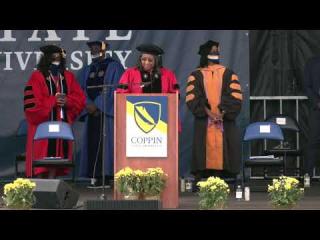
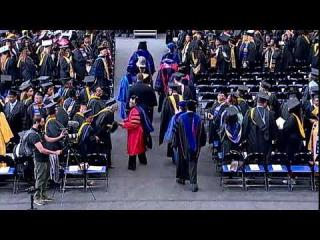
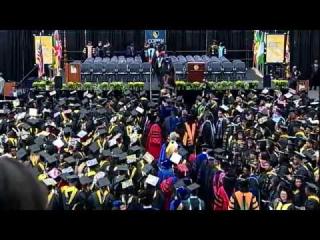
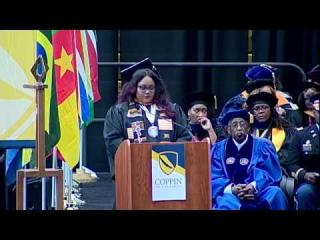
Commencement Photos and Video

Commencement Photos and Video

Graduation Day Photos

Grad Images will take professional photos of each graduate as you cross the stage and shake President Jenkins’ hand. To receive the proofs and have an opportunity to order these photos, you must complete your contact information (personal email or mailing address) on the back of the name card you will receive when you check in on the library quad.

Class of 2026 Digital Presentation

You will receive a personalized invitation to participate in the Digital Presentation of Class of 2026 (at no cost to you). As a participant, you are able to upload your photo, a congratulatory video (10 seconds or less), and a congratulatory message (150 characters or less) to appear on your personalized slide to be sent to you after commencement on May 22, 2026. You can also record the correct pronunciation of your name. The deadline to upload these personal touches is May 10, 2026, 11:59 pm. If you prefer not to personalize your slide, your name and major will still be sent to you after the commencement ceremony.

You will be able to download your personalized slide as a memento to share with family and friends, and we encourage you to share it on your social media with #CoppinGrad2026. Don’t miss your opportunity to be a part of the Digital Presentation of the Class of 2026.

Commencement Archive

May 23, 2025 Commencement 

Commencement Ceremony

Congratulations Video

Commencement Ceremony

Congratulations Video


May 19, 2023 Commencement

Photos

Commencement Ceremony

Congratulations Video


May 20, 2022 Commencement

Photos

Commencement Ceremony

Congratulations Video


May 14, 2021 Commencement

Check out the photos on Facebook

Morning Ceremony

Afternoon Ceremony


May 29, 2020 Virtual Commencement


May 22, 2019 Commencement

Morning Ceremony

Afternoon Ceremony


May 19, 2018 Commencement

Morning Ceremony

Afternoon Ceremony


May 20, 2017 Commencement

Commencement Program Download

Morning Ceremony

Afternoon Ceremony


May 21, 2016 Commencement

Check out the photos on Facebook too!  

Morning Ceremony

Afternoon Ceremony

Registrar

staff

Administrative Coordinator

staff

Graduation Information

Graduation Information

Graduation and Commencement

Ceremony Instructions

Check-in

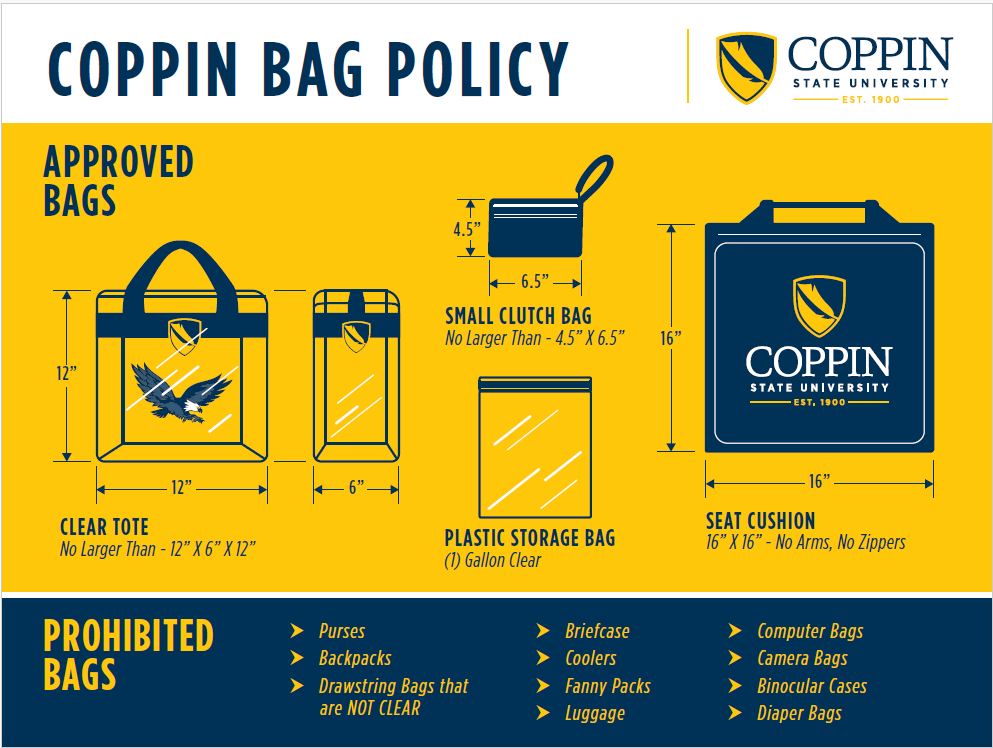
Check-in will begin at 7:15 a.m. All graduates must meet in the Library/Tawes Center/Grace Hill Jacobs Quad no later than 7:30 a.m. Marshals and volunteers will distribute name cards and will line up the graduates. Please remain in line until the processional. Please remember students are not to carry anything in the ceremony. 

Processional and Ceremony

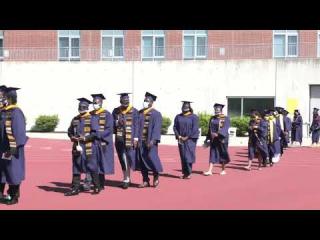
The procession will begin at 8:45 a.m. The ceremony will begin at 9:00 a.m. and last approximately three hours. All students are requested to stay until the conclusion of the ceremony.

Announcer Card

Each graduate must complete the announcer card. You should spell your name phonetically on the announcer’s card.

Receiving Your Diploma Cover

  1. Please bring your announcer card to the platform and give it to the announcer.
  2. Take your diploma cover and walk to the President and shake his hand, a photo will be taken.
  3. Another photo will be taken after you exit the stage.
  4. Return to your seat via the center aisle and be seated.

Commencement Etiquette

  • Graduates should not bring cell phones, cameras, computers, and other electronic devices to the commencement.
  • After crossing the stage, graduates must return to their seats and allow the other graduates to have their moment.
  • Graduates and guests must remain seated until directed otherwise by the Marshals.
  • Graduates will be directed when to line up for the recession and to proceed to the field exit in an orderly manner.
  • The recession signals the end of the ceremony, and graduates and guests will then be free to take pictures at the selfie stations at the end of the field.
  • Graduates should display courtesy and respect to self and others.
     

Order your graduation cap, gown, class ring, and announcements

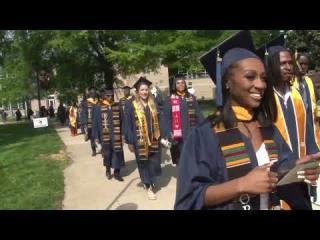
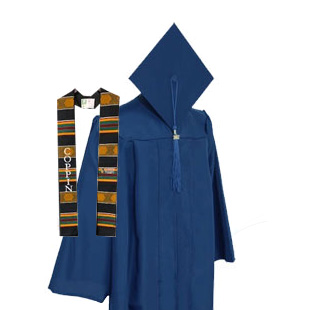
Coppin State University Kente Stole, blue cap, gown and tassel

Students can order caps, gowns, and hoods online through our official vendor partner. The Bookstore also has cap and gowns available for purchase from March-May. Gowns are sized by height. Fuller cut gowns are available. Caps are one size fit all. Your cap and gown are non-refundable, and must be paid for in full when you come to pick up.

The Bookstore accepts Mastercard, Visa, Discover, and American Express.

Curious about specific pricing? Visit the campus bookstore or call (410) 951-1223 for more information.

Celebrate your graduation with class rings and announcements

Coppin State University partners with Herff Jones to supply class rings and announcements. Students can visit the Herff Jones website to order.

What to Wear With Your Cap and Gown

All graduates must wear a cap and gown. Please comfortable shoes. Dark color (i.e., black, navy, deep brown) dresses, suits, skirts, slacks, pants, and shoes are all appropriate clothing options for the Commencement ceremony. Men should wear white dress shirts. We request graduates wear professional shoes, and not tennis or other athletic shoes.

Graduation Regalia

Tassels

For undergraduate candidates, at the beginning of the ceremony tassels are worn on the right. Upon direction from the President, the tassel is moved to the left.

Graduate candidates will wear their tassel to the left for the entire ceremony.

Hoods

Hoods vary in length according to the degree. Bachelor's hoods are three feet, master's are three and one-half feet, and the Doctor's degree is four feet. The lining of the hood is the official colors of the university, which are blue and gold. The trimming of the hood is usually velvet or velveteen. The color of the velvet indicates the degree.

At Coppin, we use the following hoods:

ColorDegree(s)
White
  • Bachelor of Arts
  • Master of Arts in Teaching
Golden Yellow
  • Bachelor of Science
  • Bachelor of Science in Liberal Arts
  • Master of Science in Adult Education
  • Master of Science in Criminal Justice
  • Master of Science in Human Services Administration
Apricot
  • Master of Science in Nursing
Light Blue
  • Master of Education in Curriculum and Instruction
  • Master of Education in Special Education
  • Master of Education in Vocational Rehabilitation Counseling 


Diploma Information

Expect your diploma in the mail—diplomas will be mailed after all graduation requirements have been met. This usually occurs within 6 to 8 weeks of commencement.
Please keep the Records and Registration Office informed of your current address.

Faculty Regalia

Faculty may also rent or purchase regalia or other items for Commencement. Check with the bookstore for information on ordering regalia.

Graduation Information

Graduation Information

Graduation and Commencement

Ceremony Instructions

Check-in

Check-in will begin at 7:15 a.m. All graduates must meet in the Library/Tawes Center/Grace Hill Jacobs Quad no later than 7:30 a.m. Marshals and volunteers will distribute name cards and will line up the graduates. Please remain in line until the processional. Please remember students are not to carry anything in the ceremony. 

Processional and Ceremony

The procession will begin at 8:45 a.m. The ceremony will begin at 9:00 a.m. and last approximately three hours. All students are requested to stay until the conclusion of the ceremony.

Announcer Card

Each graduate must complete the announcer card. You should spell your name phonetically on the announcer’s card.

Receiving Your Diploma Cover

  1. Please bring your announcer card to the platform and give it to the announcer.
  2. Take your diploma cover and walk to the President and shake his hand, a photo will be taken.
  3. Another photo will be taken after you exit the stage.
  4. Return to your seat via the center aisle and be seated.

Commencement Etiquette

  • Graduates should not bring cell phones, cameras, computers, and other electronic devices to the commencement.
  • After crossing the stage, graduates must return to their seats and allow the other graduates to have their moment.
  • Graduates and guests must remain seated until directed otherwise by the Marshals.
  • Graduates will be directed when to line up for the recession and to proceed to the field exit in an orderly manner.
  • The recession signals the end of the ceremony, and graduates and guests will then be free to take pictures at the selfie stations at the end of the field.
  • Graduates should display courtesy and respect to self and others.
     

Order your graduation cap, gown, class ring, and announcements

Coppin State University Kente Stole, blue cap, gown and tassel

Students can order caps, gowns, and hoods online through our official vendor partner. The Bookstore also has cap and gowns available for purchase from March-May. Gowns are sized by height. Fuller cut gowns are available. Caps are one size fit all. Your cap and gown are non-refundable, and must be paid for in full when you come to pick up.

The Bookstore accepts Mastercard, Visa, Discover, and American Express.

Curious about specific pricing? Visit the campus bookstore or call (410) 951-1223 for more information.

Celebrate your graduation with class rings and announcements

Coppin State University partners with Herff Jones to supply class rings and announcements. Students can visit the Herff Jones website to order.

What to Wear With Your Cap and Gown

All graduates must wear a cap and gown. Please comfortable shoes. Dark color (i.e., black, navy, deep brown) dresses, suits, skirts, slacks, pants, and shoes are all appropriate clothing options for the Commencement ceremony. Men should wear white dress shirts. We request graduates wear professional shoes, and not tennis or other athletic shoes.

Graduation Regalia

Tassels

For undergraduate candidates, at the beginning of the ceremony tassels are worn on the right. Upon direction from the President, the tassel is moved to the left.

Graduate candidates will wear their tassel to the left for the entire ceremony.

Hoods

Hoods vary in length according to the degree. Bachelor's hoods are three feet, master's are three and one-half feet, and the Doctor's degree is four feet. The lining of the hood is the official colors of the university, which are blue and gold. The trimming of the hood is usually velvet or velveteen. The color of the velvet indicates the degree.

At Coppin, we use the following hoods:

ColorDegree(s)
White
  • Bachelor of Arts
  • Master of Arts in Teaching
Golden Yellow
  • Bachelor of Science
  • Bachelor of Science in Liberal Arts
  • Master of Science in Adult Education
  • Master of Science in Criminal Justice
  • Master of Science in Human Services Administration
Apricot
  • Master of Science in Nursing
Light Blue
  • Master of Education in Curriculum and Instruction
  • Master of Education in Special Education
  • Master of Education in Vocational Rehabilitation Counseling 


Diploma Information

Expect your diploma in the mail—diplomas will be mailed after all graduation requirements have been met. This usually occurs within 6 to 8 weeks of commencement.
Please keep the Records and Registration Office informed of your current address.

Faculty Regalia

Faculty may also rent or purchase regalia or other items for Commencement. Check with the bookstore for information on ordering regalia.

Credit Transfer and Evaluation

Credit Transfer and Evaluation

Mon-Thu: 8:00 am - 5:00 pm
Fri: 8:00 am - 3:00 pm
Miles Connor Bldg. 1st Floor
(410) 523-3701

Start your "TRANSFER-mation"

Students can earn course credit through completed coursework and approved prior learning experiences. Coppin accepts up to  90 credits from 4-year institutions and 70 credits from 2-year colleges; however, students must finish their final 30 credits here at Coppin. Below is our general transfer credit criteria:

  • External credits are from a regionally accredited college or university
  • Earned grade is a “C" or higher
  • Student earned a “D” in coursework part of an associate’s degree or if the cumulative grade point average from the transferring institution is a 2.0 or higher

Coppin does not award transfer credit for developmental and remedial courses, as well as any grade of “D” in freshman English courses or major courses.

Note: Remedial and developmental courses are not used for admission qualifying purposes.

Apply now

What is the credit evaluation process?

Coppin performs transfer credit evaluations to decide a student’s standing (i.e. sophomore, junior, etc.) when you transfer into Coppin. In general, the more college-level courses you get credit for, the higher your academic standing.

Many courses from two or four-year universities qualify for transfer credit. In addition, many career or occupational credits transfer into Coppin and become free elective credits. Please note: our transfer credit decisions are final, and you agree to accept them when you commit to attend Coppin.

What to expect when transferring credits to Coppin

  1. Your transfer evaluation has a lot of important information, including the estimated number of credits that will transfer into Coppin. Be sure to send final transcripts to the Office of Admissions prior to your enrollment date. You must maintain good academic standing, or we may withdraw your offer of admission.
  2. Once you’ve received your final Evaluation of Transfer Credit, direct any transfer evaluation questions to the Transfer Coordinator in the Office of Records and Registration within your first semester. Coppin will not make any changes to your transfer evaluation after your first semester.
  3. Before beginning classes, you must decide which academic catalog you want to follow. The academic catalog you follow determines your course requirements. Your Coppin transfer evaluation includes our recommendation of the catalog year you should follow. However, you may decide it’s best for you to stay with the academic catalog that was in effect when you were originally admitted to the school you are transferring from. Here is an example of what we mean: A student transfers to Coppin from a community college. Because this transfer student was first admitted to their community college within 6 years of the CSU admission date, they have the option to follow the academic program requirements from when they were first admitted to their community college, or the academic catalog we assign on their official Evaluation of Transfer Credit.

How do I appeal a transfer evaluation?

Here are the steps to submit an appeal if you believe CSU has denied you transfer credit:

  1. Prepare a written statement with details of the transfer evaluation discrepancy
  2. Be sure to include your name, student  ID, telephone number and current local address
  3. Submit your petition no less than 30 business days before the end of your first CSU semester
  4. Email your petition and any supporting documentation to Registrar@coppin.edu or mail to:
    Coppin State University
    Office of Records and Registration
    2500 West North Ave
    Baltimore, MD 21216-3698

What happens when Coppin receives my transfer evaluation appeal?

When we receive a petition, we gather the Student Academic Review Committee to review the appeal and issue a written decision. You receive a copy of the decision at the address on file via mail.