Event and Meeting Space Reservations

Event & Meeting Space Reservations

Events and Conference Services

Event Space Reservation Request

  1. Complete the rental application for external applicants or the request form for students and employees.

    External Event Rental Application

    Student Event Request Form (PDF)

    Internal Event Request Form

  2. Upon approval by Events & Conference Services, submit the set up request form.

    Event set up request form

    We strongly suggest adding a floor plan in the Event Set Up Request form or the space will reflect the standard setup. Please include Name of Event, Date, Time, and Location on your floor plan.

Pricing Guide

Base pricing not to include AV, housekeeping, security, parking & transportation, and/or catering, etc.

RoomCapacityPrice
1st Floor Lobby54$300
2nd Floor Atrium150$500
Café $850
21070$350
214 (Executive Conference Room)40$400
218 A70$300
218 B25$180
218100$450

RoomCapacityPrice
109720$2,000
Indoor Concourse250$1,200
108400$1,300
Arena Floor $5,500
203 (Dance Studio)75$500
Pool $800
Track & Field $2,000
Media Room20$180
Outdoor Concourse150$1,200
Field $1,200
Track $650
22630$180
22830$180
Alumni Suite25$1,000
President Suite25$1,000

RoomCapacityPrice
Atrium 3rd Floor75$300
Atrium 5th Floor50$300
102 (Med Lecture)127$250
103 (LG. Lecture)50$350
Lobby $300

RoomCapacityPrice
Conference Room20$300
Full Lobby50$300
Fireside Lounge40$300
Ballroom

600 (Standing)

200 (Banquet)

300 (Theatre style)

$1,000
Half Lobby $180

RoomCapacityPrice
Auditorium839$2,000
11096$180
Gallery $400
Dressing Room  

RoomCapacityPrice
1st Floor Lobby50$300
120 (Large Lecture)105$350

RoomCapacityPrice
050 and breakout rooms36$800
Lobby50$400
Courtyard127$450

Contact Us

Have a question about our event services? Contact our team:

Lead Events Coordinator

staff

Events Coordinator

staff

Events Coordinator

staff

Administration and Finance Policies

Administration and Finance Policies

University Policies

Human Resources

Administration and Finance Policies

Administration and Finance Policies

University Policies

Human Resources

Using Your Eagle Card

Using Your Eagle Card

Eagle Card Services

A Multi-Use Campus ID

Accessibility to campus is made simple with your Eagle Card. Stay Coppin-Connected: students, faculty, and staff can add funds, manage account activity, and check account balances.

Add Funds to Your Declining Balance Account

These funds go directly to the declining balance account which is accepted at all retail locations on campus.

Purchase a Meal Plan 

The meal plan is accepted in the Talon Center Dining Hall.

Dining Dollars - (meal plan includes a dining dollar add-on)

Dining Dollars are accepted in the following locations:

  • Talon Center Dining Hall
  • Tawes Diner
  • Einstein Brothers Bagels
  • PEC Concessions Stands

How Can I Check My Account Balance?

There are 2 ways to check your account balance:

How Do I Add Funds to My Eagle Card?

Online Method

Log in to your account or select Quick Add Value.

Eagle Card Mobile Device Access

In Person Method - Cashier's Office

  1. Present a form of payment to the cashier (cash/credit).
  2. Get your receipt from the cashier.
  3. Bring your receipt to Eagle Card Services where the funds will be added to your Eagle Card account.

Using Your Eagle Card

Using Your Eagle Card

Eagle Card Services

A Multi-Use Campus ID

Accessibility to campus is made simple with your Eagle Card. Stay Coppin-Connected: students, faculty, and staff can add funds, manage account activity, and check account balances.

Add Funds to Your Declining Balance Account

These funds go directly to the declining balance account which is accepted at all retail locations on campus.

Purchase a Meal Plan 

The meal plan is accepted in the Talon Center Dining Hall.

Dining Dollars - (meal plan includes a dining dollar add-on)

Dining Dollars are accepted in the following locations:

  • Talon Center Dining Hall
  • Tawes Diner
  • Einstein Brothers Bagels
  • PEC Concessions Stands

How Can I Check My Account Balance?

There are 2 ways to check your account balance:

How Do I Add Funds to My Eagle Card?

Online Method

Log in to your account or select Quick Add Value.

Eagle Card Mobile Device Access

In Person Method - Cashier's Office

  1. Present a form of payment to the cashier (cash/credit).
  2. Get your receipt from the cashier.
  3. Bring your receipt to Eagle Card Services where the funds will be added to your Eagle Card account.

Using Your Eagle Card

Using Your Eagle Card

Eagle Card Services

A Multi-Use Campus ID

Accessibility to campus is made simple with your Eagle Card. Stay Coppin-Connected: students, faculty, and staff can add funds, manage account activity, and check account balances.

Add Funds to Your Declining Balance Account

These funds go directly to the declining balance account which is accepted at all retail locations on campus.

Purchase a Meal Plan 

The meal plan is accepted in the Talon Center Dining Hall.

Dining Dollars - (meal plan includes a dining dollar add-on)

Dining Dollars are accepted in the following locations:

  • Talon Center Dining Hall
  • Tawes Diner
  • Einstein Brothers Bagels
  • PEC Concessions Stands

How Can I Check My Account Balance?

There are 2 ways to check your account balance:

How Do I Add Funds to My Eagle Card?

Online Method

Log in to your account or select Quick Add Value.

Eagle Card Mobile Device Access

In Person Method - Cashier's Office

  1. Present a form of payment to the cashier (cash/credit).
  2. Get your receipt from the cashier.
  3. Bring your receipt to Eagle Card Services where the funds will be added to your Eagle Card account.

Getting Your Eagle Card

Getting Your Eagle Card

Eagle Card Services

Mon - Fri: 9:00 am - 5:00 pm
Miles Connor Bldg., 2nd Floor, Room 229

Next Steps to Get Your Eagle Card

You've attended New Student Orientation. You've met with your academic advisor, and registered for classes. What's next? Getting your Eagle Card!  You'll need to submit your photo and verify your identity.

How to Take Your Eagle Card Photo

You can submit your photo virtually.

  1. Check your Coppin email for a message from Eagle Card - Online Photo
  2. Click the "Submit Your Photo" link within the email
  3. Enter your Coppin Email Address if necessary to request access
  4. Take a full head shot picture in front of a plain white or lightly colored background (make sure you face forward and look directly at the camera)

Picture ID Requirements 

  • No headwear (religious coverings are acceptable)
  • No sunglasses (including prescription sunglasses)
  • Prescription glasses are ok—your eyes cannot be hidden, and the glasses cannot glare in your photo
  • No filters, other people, animals, objects, or added text 

How to Verify Your Identity

Please be prepared to Upload your Valid Government Issued Identification

  • Valid passport with photo
  • Military ID card with photo
  • Valid U.S. state-issued driver's license or ID with photo
  • Valid U.S. federal government ID with photo

Contact Us

Eagle Card Manager

staff

Korey Spellman
Administrative Assistant

staff

Getting Your Eagle Card

Getting Your Eagle Card

Eagle Card Services

Mon - Fri: 9:00 am - 5:00 pm
Miles Connor Bldg., 2nd Floor, Room 229

Next Steps to Get Your Eagle Card

You've attended New Student Orientation. You've met with your academic advisor, and registered for classes. What's next? Getting your Eagle Card!  You'll need to submit your photo and verify your identity.

How to Take Your Eagle Card Photo

You can submit your photo virtually.

  1. Check your Coppin email for a message from Eagle Card - Online Photo
  2. Click the "Submit Your Photo" link within the email
  3. Enter your Coppin Email Address if necessary to request access
  4. Take a full head shot picture in front of a plain white or lightly colored background (make sure you face forward and look directly at the camera)

Picture ID Requirements 

  • No headwear (religious coverings are acceptable)
  • No sunglasses (including prescription sunglasses)
  • Prescription glasses are ok—your eyes cannot be hidden, and the glasses cannot glare in your photo
  • No filters, other people, animals, objects, or added text 

How to Verify Your Identity

Please be prepared to Upload your Valid Government Issued Identification

  • Valid passport with photo
  • Military ID card with photo
  • Valid U.S. state-issued driver's license or ID with photo
  • Valid U.S. federal government ID with photo

Contact Us

Eagle Card Manager

staff

Korey Spellman
Administrative Assistant

staff

Getting Your Eagle Card

Getting Your Eagle Card

Eagle Card Services

Mon - Fri: 9:00 am - 5:00 pm
Miles Connor Bldg., 2nd Floor, Room 229

Next Steps to Get Your Eagle Card

You've attended New Student Orientation. You've met with your academic advisor, and registered for classes. What's next? Getting your Eagle Card!  You'll need to submit your photo and verify your identity.

How to Take Your Eagle Card Photo

You can submit your photo virtually.

  1. Check your Coppin email for a message from Eagle Card - Online Photo
  2. Click the "Submit Your Photo" link within the email
  3. Enter your Coppin Email Address if necessary to request access
  4. Take a full head shot picture in front of a plain white or lightly colored background (make sure you face forward and look directly at the camera)

Picture ID Requirements 

  • No headwear (religious coverings are acceptable)
  • No sunglasses (including prescription sunglasses)
  • Prescription glasses are ok—your eyes cannot be hidden, and the glasses cannot glare in your photo
  • No filters, other people, animals, objects, or added text 

How to Verify Your Identity

Please be prepared to Upload your Valid Government Issued Identification

  • Valid passport with photo
  • Military ID card with photo
  • Valid U.S. state-issued driver's license or ID with photo
  • Valid U.S. federal government ID with photo

Contact Us

Eagle Card Manager

staff

Korey Spellman
Administrative Assistant

staff

Eagle Card Services

Eagle Card Services

Your Key to Campus

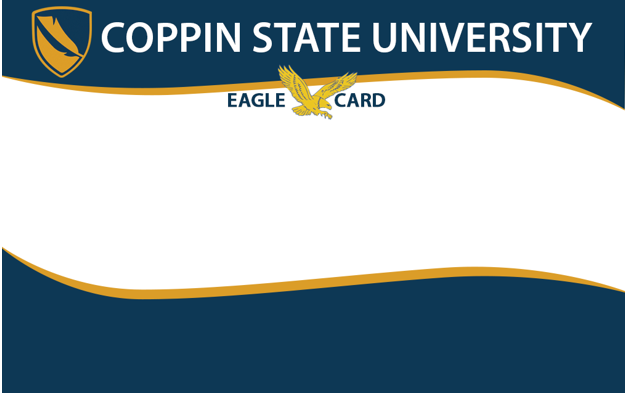
The Coppin State University eagle card

Your Eagle Card is your official Coppin State University ID. It’s a safe and convenient way to flex your spending power on campus, getting cashless access to goods, services, facilities, and events throughout the entire campus.

What is the Coppin Eagle Card? 

Your Card is your key to all things Coppin. Use it to:

  • Check out books, materials, and technology in the Library
  • Access recreation and wellness resources in the Wellness Center
  • Get free or discounted admission to athletic and campus events
  • Purchase books and materials at the bookstore
  • And much more!

What information is on my Eagle Card?

Your Card has a front and a back. The front of your card has your:

  • First and last name
  • 7-digit Coppin ID#
  • Photo
  • 16-digit card number (similar to a credit card number)
  • Classification (i.e. student, faculty, staff, etc.)

The back of your card has your:

  • Library barcode and number
  • 5-digit Prox #

Next Steps With Your Eagle Card

We encourage you to get familiar with your Eagle Card! Need more information on how to get one, where it works, and how to use it? Check out these resources!

A closeup of a smiling female student

How to Get Your Eagle Card

Get your key to campus.

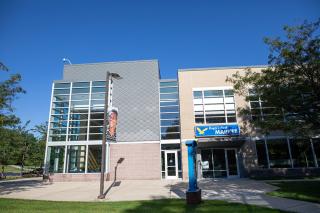
Talon Center and Eagle's Nest Market

Where to Use Your Eagle Card

All the places on campus you'll need it.

A female student shops for clothing in the Coppin campus bookstore

How to Use Your Eagle Card

A little card with a lot of uses.

Are you a residential student?

Apply to replace your Eagle Card

How do I care for my Eagle Card?

Protect your card the same way you protect your cash, credit cards, or other valuable possessions. Our office also sells $5.00 lanyards that help keep your card in good condition. Here are a few other helpful tips that can help you prevent damage to your Eagle Card:

  • Avoid adding tape or stickers to your Card
  • Avoid punching holes in your Card

Also, keep your Eagle Card away from things that may cause damage, including:

  • Irons and excessive heat
  • Strong magnetic devices
  • Inventory control pads (often found near cash registers)

How does my Eagle Card work?

You can use your Eagle Card for several different things across campus, including as a form of payment for on-campus purchases in the Bookstore, Convenience Store, and other retailers. It works as a pre-paid account you can deposit funds into. And you'll only spend the funds you have available, and never need to worry about account overdrafts.

How do I use my Eagle Card to get into campus facilities?

Your Eagle Card also gets you into campus buildings and campus events. Your card has a proximity # which is the key to door access to all campus facilities. Tap your Eagle Card on the card access panel on building doors to gain access.

How can I manage my account?

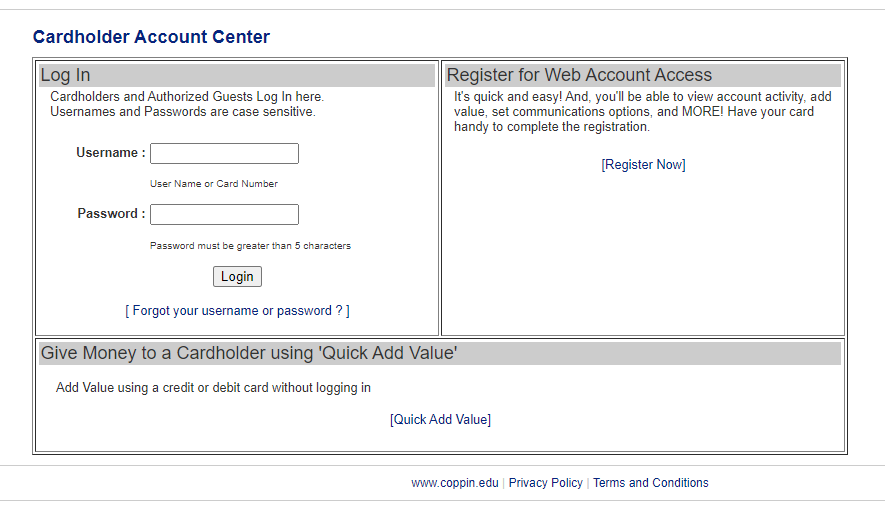
You can register and manage your Eagle Card account online.

Make sure when you register your account, you are ready with your last name and Student ID #. When registering your account, use your Coppin user name and remember to create a unique password. 

CARDHOLDER ACCOUNT CENTER

What should I do to replace my lost, stolen, or damaged Eagle Card?

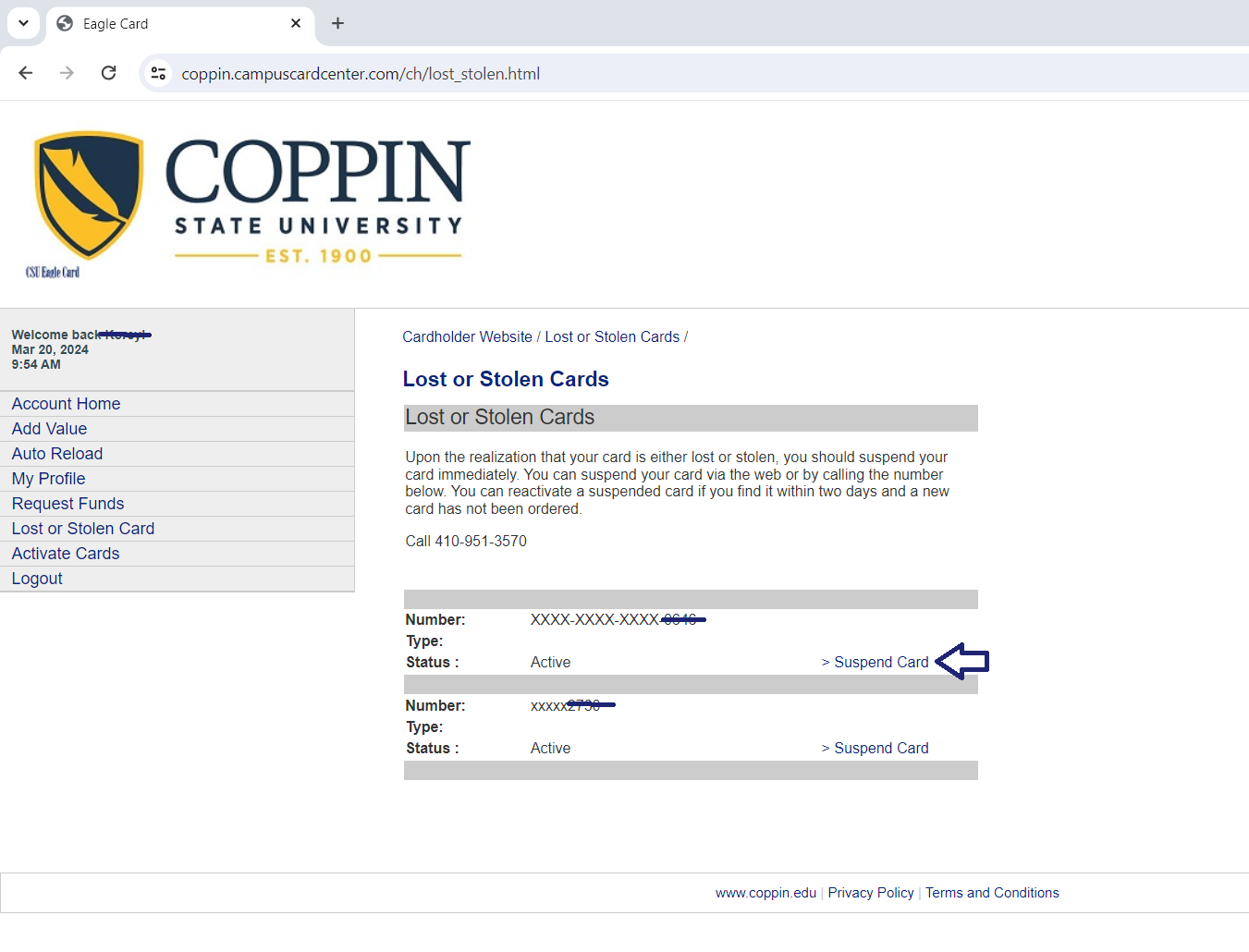
The very first thing to do is log in to your Eagle Card account to suspend your lost card. Once you suspend your card, no one—including you—will be able to use it for purchases or building access. If you find your Eagle Card, remember to reactivate it! If you aren't able to find your card, stop by our office to get your replacement.

LOST OR STOLEN CARDS

Remember, there is a fee to replace your Eagle Card:

  • $30.00 for students in on-campus housing
  • $15.00 for commuter students, faculty, and staff

To get your replacement Eagle Card, take your payment to the Cashier's Office on the 2nd floor of the Miles Connor Administration Building, then bring your receipt to Eagle Card Services. There is no fee to replace Cards damaged or unusable because of normal use.

Eagle Card Manager

staff

Korey Spellman
Administrative Assistant

staff